VoiceForge
A downloadable tool for Windows
A Local Interface for High-Quality Neural Speech.
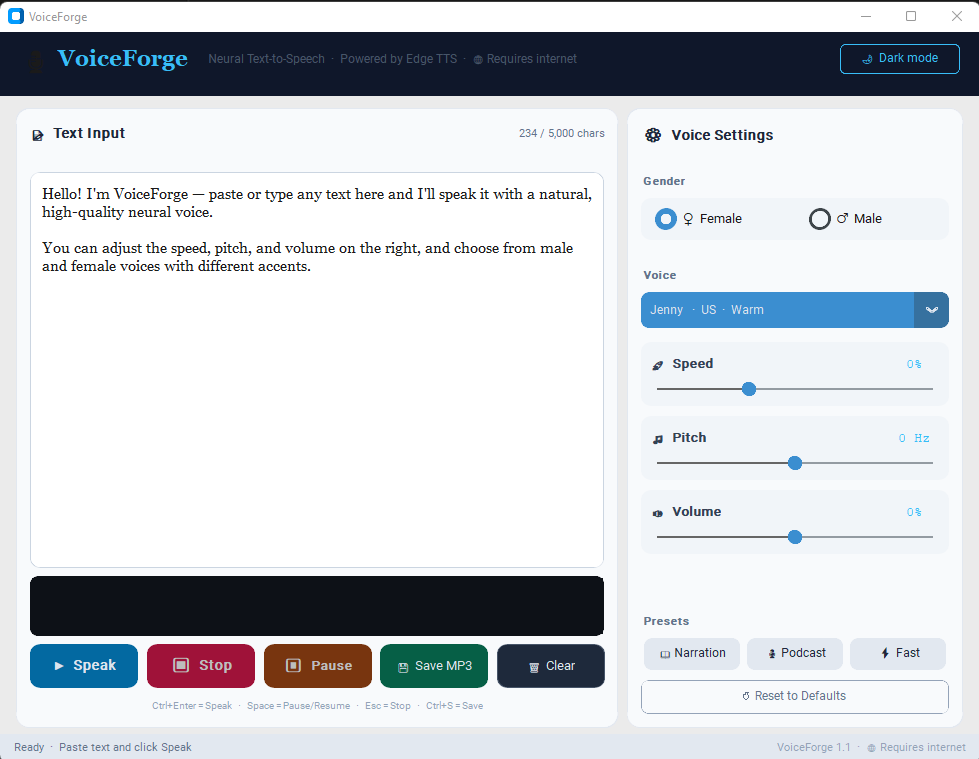
VoiceForge provides a refined, local desktop interface for Microsoft’s powerful, free Edge TTS engine. If you are exhausted by complex cloud dashboards and paying for API keys just to listen to your text, VoiceForge is designed for you. It puts the control back on your desktop.
>span class=""> Perfect for accessibility, proofreading, content creation, or just personal listening.
Features:
- Powered by Edge TTS: Access some of the most natural, human-like neural voices available, completely free of charge. Requires an active internet connection.
- Total Voice Control:
- Choose from dozens of unique Male and Female voices.
- Granular Rate (Speed) control: from -50% to +100%.
- Pitch shifting: +/- 20 Hz.
- Independent Volume mix.
- Acoustic Visualization: Watch your voice take shape with a beautifully rendered, real-time audio waveform canvas.
- Save to MP3: Finalize your narration and save the output directly to a high-quality audio file with one click.
- Performance Presets: Includes one-click presets for Narration, Podcast, and Fast listening.
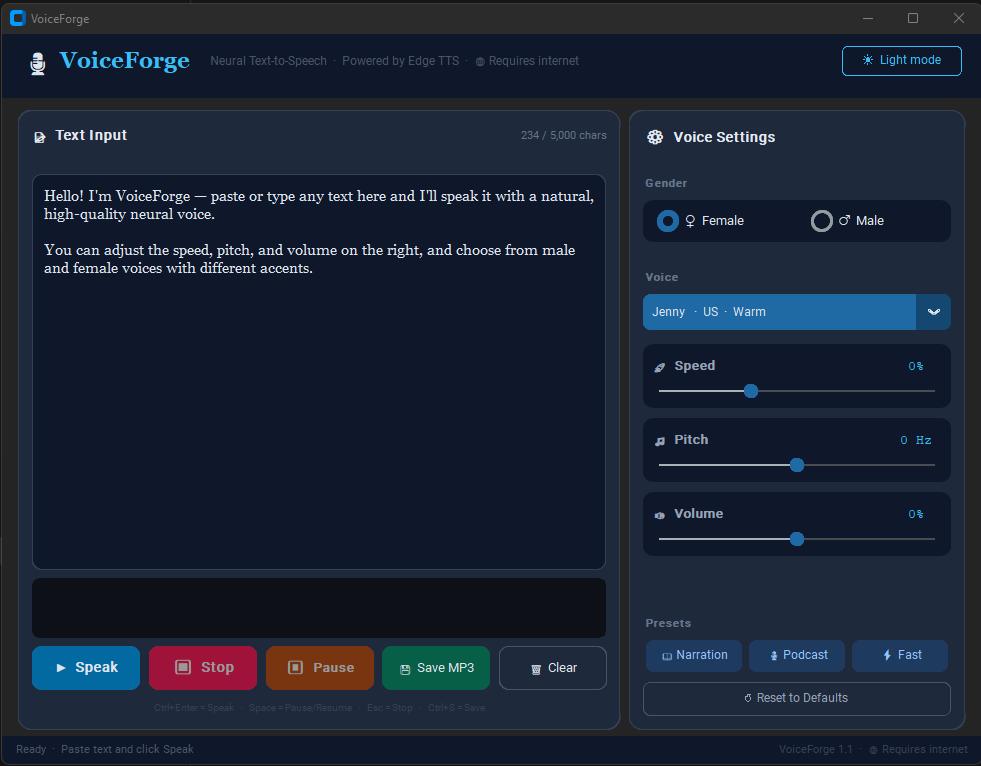
- Local UI, Global Reach: The application runs locally on your machine, using simple dark mode aesthetics. It only connects out to fetch the generated audio stream.
Technical Note: VoiceForge is a Python application bundled into a single standalone .exe for Windows using PyInstaller. It uses customtkinter for the GUI and pygame for the audio engine.
Download
Install instructions
### ⚡ Quick Start: How to Run VoiceForge
Since VoiceForge is built as a portable, standalone application, it requires no complicated installation process. Just extract and run.
#### 🛠️ Installation Steps:
1. Click the **Download** button above to download the `Voice Forge.zip` archive.
2. Locate the downloaded file on your computer, right-click it, and select **Extract All...** to unpack the folder.
3. Open the extracted folder and look for **`Voice Forge.exe`** (it features a custom dark audio icon).
4. Double-click **`Voice Forge.exe`** to launch the utility dashboard!
---
#### 🌐 Requirements & Troubleshooting:
* **Active Internet Connection:** VoiceForge uses high-fidelity neural streaming architectures via Microsoft Edge TTS. An active internet connection is strictly required to generate and stream the voices.
* **Windows SmartScreen Alert:** Because this is an independent, self-contained executable file, Windows Defender or SmartScreen might show a popup saying *"Windows protected your PC"* when you launch it for the first time.
* **To bypass this:** Click on **"More info"** inside the popup, and then click the **"Run anyway"** button. This occurs simply because the executable is not digitally signed with an expensive Microsoft developer certificate.
* **No External Dependencies Needed:** You do **NOT** need Python, Pygame, or any external command-line libraries installed on your machine. Everything required to process the interface, visualizer canvas, and audio mixer is fully self-contained inside the executable package.
Leave a comment
Log in with itch.io to leave a comment.